email verificationLaravel Email Verification: Sign-Up Confirmation and Checking the Address Exists
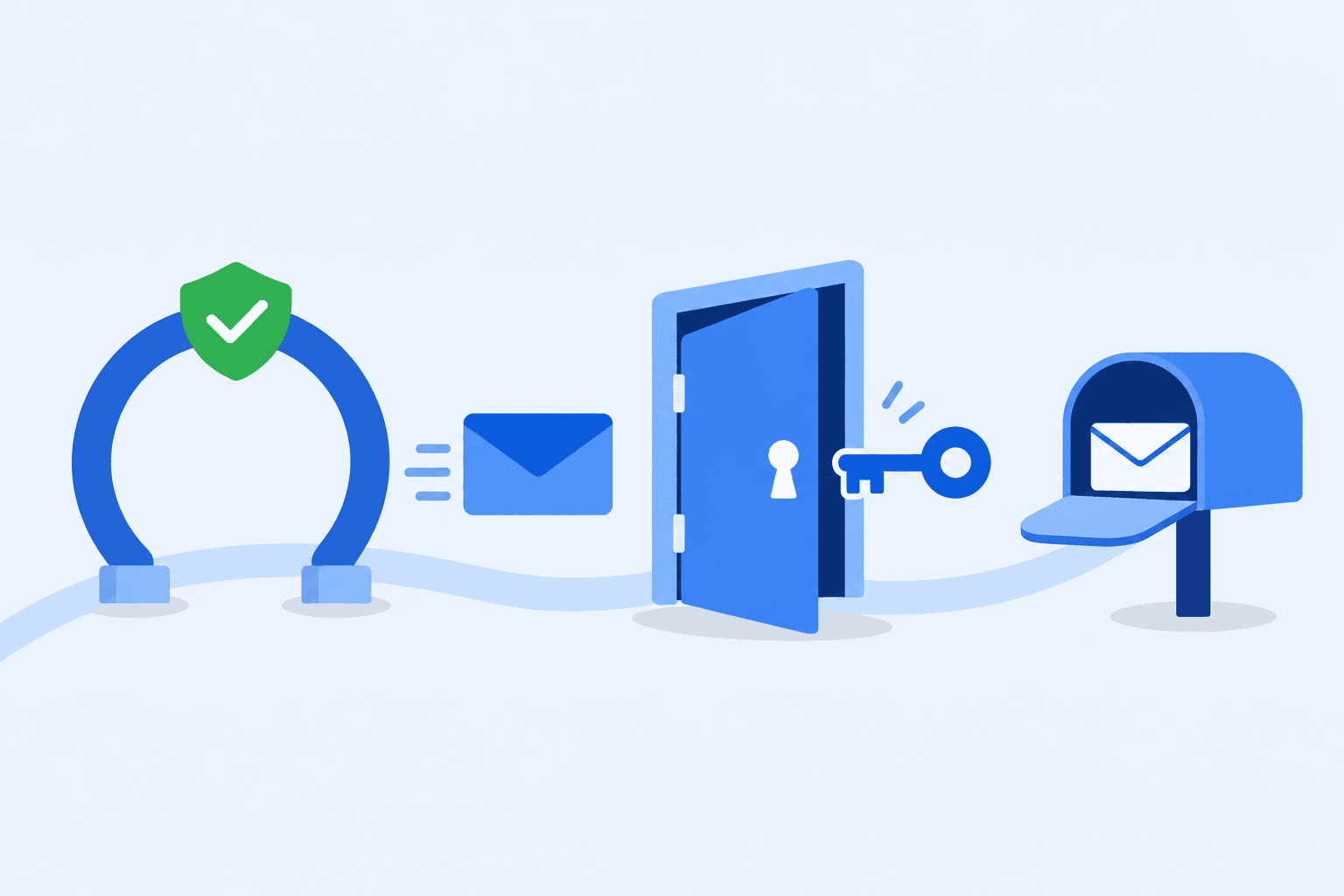
Laravel email verification sends a signed link after sign-up, and the user clicks it to prove they can read the mailbox. It doesn't check the address before that email goes out, so a typo or a dead domain still gets a verification email, which then bounces. This guide sets up email verification in Laravel and adds a check at registration that stops undeliverable addresses before the link is sent.
You need a Laravel 13 app with the default users table (it has an email_verified_at column), working mail settings, and a CampaignKit API key for the last part (new accounts get 200 free validations).
Email verification with Laravel, in short:
- Implement
MustVerifyEmailon theUsermodel. - Add the three verification routes: notice, verify and resend.
- Protect routes with the
verifiedmiddleware. - Validate the address at registration with
email:rfc,dns. - Add a rule that calls the CampaignKit API, so addresses that can't receive mail are rejected before the link goes out.
- Test it with
Http::fake. - Troubleshoot the usual problems: 403 "invalid signature", redirect loops, emails that don't arrive.
Set up Laravel email verification (MustVerifyEmail)
This section follows the Laravel 13.x verification docs. If you started from one of Laravel's starter kits (React, Svelte, Vue or Livewire), the verification routes already exist, because the kits use Laravel Fortify. You only implement MustVerifyEmail on the model and add the verified middleware to your routes. If you built registration yourself, follow all the steps below.
Prepare the model
Implement the Illuminate\Contracts\Auth\MustVerifyEmail contract on your User model. It also needs the Notifiable trait, which the default model already has.
In app/Models/User.php:
<?php

namespace App\Models;

use Illuminate\Contracts\Auth\MustVerifyEmail;
use Illuminate\Database\Eloquent\Factories\HasFactory;
use Illuminate\Foundation\Auth\User as Authenticatable;
use Illuminate\Notifications\Notifiable;

class User extends Authenticatable implements MustVerifyEmail
{
    use HasFactory, Notifiable;

    protected $fillable = [
        'name',
        'email',
        'password',
    ];

    protected $hidden = [
        'password',
        'remember_token',
    ];

    protected function casts(): array
    {
        return [
            'email_verified_at' => 'datetime',
            'password' => 'hashed',
        ];
    }
}
Laravel sends the verification link when the Illuminate\Auth\Events\Registered event fires: its SendEmailVerificationNotification listener handles that. Starter kits dispatch the event for you. If you write registration yourself, dispatch it with event(new Registered($user)), as the controller further down does.
The three routes
Laravel email verification needs three routes, and each one must have exactly the name shown here:
verification.notice(GET /email/verify): the page that tells the user to check their inbox.verification.verify(GET /email/verify/{id}/{hash}): the link in the email.EmailVerificationRequestchecks theidandhash, andfulfill()marks the address as verified and dispatches theVerifiedevent.verification.send(POST /email/verification-notification): the resend route.
In routes/web.php:
<?php

use Illuminate\Foundation\Auth\EmailVerificationRequest;
use Illuminate\Http\Request;
use Illuminate\Support\Facades\Route;

Route::get('/email/verify', function () {
    return view('auth.verify-email');
})->middleware('auth')->name('verification.notice');

Route::get('/email/verify/{id}/{hash}', function (EmailVerificationRequest $request) {
    $request->fulfill();

    return redirect('/dashboard');
})->middleware(['auth', 'signed'])->name('verification.verify');

Route::post('/email/verification-notification', function (Request $request) {
    $request->user()->sendEmailVerificationNotification();

    return back()->with('message', 'Verification link sent!');
})->middleware(['auth', 'throttle:6,1'])->name('verification.send');
The signed middleware rejects links whose signature doesn't match, and throttle:6,1 lets each user request at most six resends per minute. All three routes use auth, so the user must be logged in, which means your app needs login routes (a starter kit or your own).
The notice page needs a view. A minimal one with the resend button, in resources/views/auth/verify-email.blade.php:
<p>Thanks for signing up. Click the link in the email we just sent you to verify your address.</p>

@if (session('message'))
    <p>{{ session('message') }}</p>
@endif

<form method="POST" action="{{ route('verification.send') }}">
    @csrf
    <button type="submit">Resend verification email</button>
</form>
That form is how the Laravel resend verification email flow works: it posts to verification.send, which sends a new link and returns to the notice page with the message.
Protect routes with verified
The verified middleware (an alias for Illuminate\Auth\Middleware\EnsureEmailIsVerified) blocks users who haven't clicked the link yet and redirects them to the verification.notice route. Add it next to auth on every route that needs a confirmed address.
In routes/web.php, below the verification routes:
Route::get('/dashboard', function () {
    return 'Only users with a verified email address see this page.';
})->middleware(['auth', 'verified'])->name('dashboard');
Replace the closure with your own dashboard view. That's the whole Laravel email verification middleware setup: no extra registration in bootstrap/app.php.
Change the email (optional)
To customize the verification email template, call VerifyEmail::toMailUsing() in the boot method of AppServiceProvider. The closure gets the user and the signed URL, and returns a MailMessage.
In app/Providers/AppServiceProvider.php:
<?php

namespace App\Providers;

use Illuminate\Auth\Notifications\VerifyEmail;
use Illuminate\Notifications\Messages\MailMessage;
use Illuminate\Support\ServiceProvider;

class AppServiceProvider extends ServiceProvider
{
    public function register(): void
    {
        //
    }

    public function boot(): void
    {
        VerifyEmail::toMailUsing(function (object $notifiable, string $url) {
            return (new MailMessage)
                ->subject('Confirm your email address')
                ->line('Click the button below to confirm this is your email address.')
                ->action('Verify Email Address', $url)
                ->line('If you did not create an account, you can ignore this email.');
        });
    }
}
What the built-in flow and email:dns can and cannot tell you
The verification link proves that the user controls the mailbox, but only after the email has been sent. If someone types jane@gmial.com or uses a domain that no longer receives mail, Laravel still sends the link. That email bounces, and bounces from your own app count against your sender reputation. Our guide on how to reduce bounce rates explains why that matters for every email you send afterwards.
Laravel's email validation rule helps, but it has limits. With the dns option it checks that the domain has a valid MX record. The Laravel validation docs are explicit that it "does not determine whether an individual mailbox exists". So nobody-here@gmail.com passes, because Gmail's domain receives mail.
To find out whether the address itself can receive mail without sending anything, you need a separate check. Our guide to verifying an email address without sending an email covers the options. The rest of this post adds that check to the Laravel registration flow, before the Registered event fires.
Validate the address in the form request
Start with Laravel email validation rules that cost nothing: a format check, a domain check and the length limit. Order matters here. With bail, Laravel stops at the first rule that fails, so a malformed address never reaches the more expensive checks you add later.
This controller handles registration and dispatches Registered itself. In app/Http/Controllers/RegisterController.php:
<?php

namespace App\Http\Controllers;

use App\Models\User;
use Illuminate\Auth\Events\Registered;
use Illuminate\Http\RedirectResponse;
use Illuminate\Http\Request;
use Illuminate\Support\Facades\Auth;
use Illuminate\Support\Facades\Hash;

class RegisterController
{
    public function store(Request $request): RedirectResponse
    {
        $validated = $request->validate([
            'name' => ['required', 'string', 'max:255'],
            'email' => ['bail', 'required', 'string', 'email:rfc,dns', 'max:254', 'unique:users'],
            'password' => ['required', 'string', 'min:8'],
        ]);

        $user = User::create([
            'name' => $validated['name'],
            'email' => $validated['email'],
            'password' => Hash::make($validated['password']),
        ]);

        event(new Registered($user));

        Auth::login($user);

        return redirect('/dashboard');
    }
}
Add the route in routes/web.php, with the import next to the others at the top of the file:
use App\Http\Controllers\RegisterController;

Route::post('/register', [RegisterController::class, 'store'])->middleware('guest');
email:rfc,dns checks the format against RFC rules and then the domain's MX record. If you prefer the fluent rule builder, this line does the same and also blocks spoofed lookalike characters (add use Illuminate\Validation\Rule; to the controller):
'email' => ['bail', 'required', 'string', Rule::email()->rfcCompliant(strict: false)->validateMxRecord()->preventSpoofing(), 'max:254', 'unique:users'],
Two things to know:
- The
dnsandspoofchecks need PHP'sintlextension. dnsmakes a real DNS lookup, also in your tests. The tests below usegmail.comaddresses for that reason. Laravel's validation docs also describeValidator::fakeDnsLookups()if your tests must run without network access.
If your app uses a starter kit, the registration rules live in app/Actions/Fortify/CreateNewUser.php. Put the same email rules in the Validator::make($input, [...]) array there. For how format checks work outside Laravel, see our email validation regex guide for JavaScript, Python and PHP.
Check the address with the CampaignKit API before the link goes out
The format and MX checks pass for any address on a working domain. To reject addresses that can't receive mail, call an email validation API from a custom validation rule. Because the rule runs before User::create() and event(new Registered($user)), no verification link goes to an address the API reports as undeliverable. This is the API side of Laravel email verification: one HTTP call per sign-up.
The API call
The endpoint is POST https://api.campaignkit.cc/v1/email/validate, with your API key as a Bearer token and a JSON body with an emails array. To try it from the command line:
curl -X POST https://api.campaignkit.cc/v1/email/validate \
  -H "Authorization: Bearer YOUR_API_KEY" \
  -H "Content-Type: application/json" \
  -d '{"emails": ["john@gmai.com"]}'
The response has one entry in results per address. Trimmed to the fields this guide uses, the example from the email validation API docs looks like this:
{
  "creditsUsed": 1,
  "results": [
    {
      "email": "john@gmai.com",
      "result": {
        "score": 0,
        "classifier": "invalid",
        "description": ["domain", "didYouMean"],
        "didYouMean": "john@gmail.com"
      }
    }
  ]
}
The rule reads three fields:
classifier:valid,riskyorinvalid.invalidmeans the address is undeliverable and will bounce.riskymeans the mailbox couldn't be verified, or it's a role, disposable or blacklisted address.score: 0 to 10, where 10 is best and 0 means the address will bounce.invalidalways has score 0.didYouMean: a suggested correction when the domain looks like a typo of a well-known provider. It's only present when a suggestion applies. Show it to the user and let them fix the address; don't change it for them.
Create an API key in your account (see the API docs for where to find it), then add it to .env:
CAMPAIGNKIT_API_KEY=your-api-key
Then read it in config/services.php, inside the returned array:
'campaignkit' => [
    'key' => env('CAMPAIGNKIT_API_KEY'),
],
A custom rule object
Create the rule with Artisan:
php artisan make:rule DeliverableEmail
Replace the contents of app/Rules/DeliverableEmail.php with:
<?php

namespace App\Rules;

use Closure;
use Illuminate\Contracts\Validation\ValidationRule;
use Illuminate\Http\Client\ConnectionException;
use Illuminate\Support\Facades\Http;
use Illuminate\Support\Facades\Log;

class DeliverableEmail implements ValidationRule
{
    public function validate(string $attribute, mixed $value, Closure $fail): void
    {
        try {
            $response = Http::withToken((string) config('services.campaignkit.key'))
                ->acceptJson()
                ->timeout(5)
                ->post('https://api.campaignkit.cc/v1/email/validate', [
                    'emails' => [$value],
                ]);
        } catch (ConnectionException $e) {
            // Timeout or network error: let the sign-up through.
            Log::warning('Email check skipped: CampaignKit API unreachable', [
                'error' => $e->getMessage(),
            ]);

            return;
        }

        if (! $response->successful()) {
            // 401, 429, 5xx or any other non-2xx: let the sign-up through.
            Log::warning('Email check skipped: CampaignKit API returned an error', [
                'status' => $response->status(),
                'code' => $response->json('error.code'),
            ]);

            return;
        }

        $result = $response->json('results.0.result');

        if (($result['classifier'] ?? null) !== 'invalid') {
            // valid and risky addresses pass; the verification link still confirms them.
            return;
        }

        $suggestion = $result['didYouMean'] ?? null;

        $fail($suggestion
            ? "This email address can't receive mail. Did you mean {$suggestion}?"
            : "This email address can't receive mail. Please check it for typos.");
    }
}
Then add new DeliverableEmail as the last item in the email rules of RegisterController (or of CreateNewUser in a starter kit), and import it with use App\Rules\DeliverableEmail; at the top:
'email' => ['bail', 'required', 'string', 'email:rfc,dns', 'max:254', 'unique:users', new DeliverableEmail],
Because of bail, the API is only called for addresses that pass the format, DNS, length and uniqueness checks. You don't spend a request on jane@ or on an address that's already registered.
The rule rejects only invalid addresses. It lets risky addresses through on purpose: a mailbox that couldn't be verified can still belong to a real person, and the verification link will settle it. That's our recommendation, not a requirement. If you want to block throwaway addresses as well, check whether $result['description'] contains disposable and fail on that too. Our guide to the disposable email checker covers that choice.
For a one-off check you can also write the same logic as a closure in the rules array, function (string $attribute, mixed $value, Closure $fail) { ... }. The class is easier to reuse and to test.
When the API fails
Any HTTP call at sign-up can fail, and the rule above has to decide what happens then. It handles two cases:
- No response (timeout after 5 seconds, DNS or network error): the Http client throws
ConnectionException. The rule logs it and returns without failing. - An error response (401 for a missing or wrong key, 429 when you exceed the rate limit, a server error, or any other non-2xx status): the Http client doesn't throw on 4xx or 5xx by default, so the rule checks
$response->successful()before reading the JSON, logs the status and error code, and returns without failing.
Letting the sign-up through when the check fails is a design choice we recommend, not something Laravel or CampaignKit requires. The verification link still protects the account, and you don't lose a real customer because a request timed out. If you'd rather block, call $fail() in those branches instead. Avoid ->throw() in a validation rule unless you catch the RequestException, otherwise an API error becomes a 500 error on your registration page.
The log entries contain the status and error code, not the address. Watch them: repeated 401s mean your key is wrong, and you're effectively running without the check.
Cost and limits
Each address you validate uses one credit, and the response tells you how many in creditsUsed. New accounts get 200 free validations, no credit card needed. With bail in front of the rule, a rejected format or duplicate address costs nothing.
Rate limits apply per API key. A 429 response means slow down; the rule above lets those sign-ups through. The current limits are in the API docs.
Check it works
This feature test covers the paths that matter: a deliverable address registers and gets the link, an undeliverable one is rejected before any email goes out, a typo shows the suggestion, and API failures don't block the sign-up. Http::fake stands in for the API, and Http::preventStrayRequests() makes the test fail if any request slips past the fake. The email:rfc,dns rule still does a real DNS lookup for gmail.com, so the test needs network access.
In tests/Feature/RegistrationEmailCheckTest.php:
<?php

namespace Tests\Feature;

use App\Models\User;
use App\Rules\DeliverableEmail;
use Illuminate\Auth\Notifications\VerifyEmail;
use Illuminate\Foundation\Testing\RefreshDatabase;
use Illuminate\Http\Client\Request;
use Illuminate\Support\Facades\Http;
use Illuminate\Support\Facades\Notification;
use Illuminate\Support\Facades\Validator;
use Tests\TestCase;

class RegistrationEmailCheckTest extends TestCase
{
    use RefreshDatabase;

    protected function setUp(): void
    {
        parent::setUp();

        config(['services.campaignkit.key' => 'test-key']);
        Http::preventStrayRequests();
        Notification::fake();
    }

    public function test_deliverable_address_registers_and_gets_the_link(): void
    {
        Http::fake([
            'api.campaignkit.cc/*' => Http::response($this->apiResult('jane@gmail.com', 'valid', 10)),
        ]);

        $this->post('/register', [
            'name' => 'Jane',
            'email' => 'jane@gmail.com',
            'password' => 'correct-horse-battery',
        ])->assertRedirect('/dashboard');

        $user = User::where('email', 'jane@gmail.com')->firstOrFail();
        Notification::assertSentTo($user, VerifyEmail::class);

        Http::assertSent(fn (Request $request) =>
            $request->url() === 'https://api.campaignkit.cc/v1/email/validate'
            && $request->hasHeader('Authorization', 'Bearer test-key')
            && $request['emails'] === ['jane@gmail.com']
        );
    }

    public function test_undeliverable_address_is_rejected_before_the_link_is_sent(): void
    {
        Http::fake([
            'api.campaignkit.cc/*' => Http::response($this->apiResult('no-such-user@gmail.com', 'invalid', 0, ['mailbox'])),
        ]);

        $this->post('/register', [
            'name' => 'Nobody',
            'email' => 'no-such-user@gmail.com',
            'password' => 'correct-horse-battery',
        ])->assertSessionHasErrors([
            'email' => "This email address can't receive mail. Please check it for typos.",
        ]);

        $this->assertDatabaseCount('users', 0);
        Notification::assertNothingSent();
    }

    public function test_typo_suggestion_is_shown_to_the_user(): void
    {
        Http::fake([
            'api.campaignkit.cc/*' => Http::response($this->apiResult(
                'john@gmai.com', 'invalid', 0, ['domain', 'didYouMean'], ['didYouMean' => 'john@gmail.com']
            )),
        ]);

        $validator = Validator::make(['email' => 'john@gmai.com'], ['email' => [new DeliverableEmail]]);

        $this->assertSame(
            ["This email address can't receive mail. Did you mean john@gmail.com?"],
            $validator->errors()->get('email')
        );
    }

    public function test_risky_address_is_allowed(): void
    {
        Http::fake([
            'api.campaignkit.cc/*' => Http::response($this->apiResult('info@gmail.com', 'risky', 4, ['verifyRejected', 'role'])),
        ]);

        $validator = Validator::make(['email' => 'info@gmail.com'], ['email' => [new DeliverableEmail]]);

        $this->assertTrue($validator->passes());
    }

    public function test_sign_up_goes_through_when_the_api_is_unreachable(): void
    {
        Http::fake([
            'api.campaignkit.cc/*' => Http::failedConnection(),
        ]);

        $this->post('/register', [
            'name' => 'Ann',
            'email' => 'ann@gmail.com',
            'password' => 'correct-horse-battery',
        ])->assertRedirect('/dashboard');

        $this->assertDatabaseHas('users', ['email' => 'ann@gmail.com']);
    }

    public function test_rate_limited_request_lets_the_address_through(): void
    {
        Http::fake([
            'api.campaignkit.cc/*' => Http::response([
                'error' => ['code' => 'rate_limit_exceeded', 'message' => 'Rate limit exceeded'],
            ], 429),
        ]);

        $validator = Validator::make(['email' => 'sam@gmail.com'], ['email' => [new DeliverableEmail]]);

        $this->assertTrue($validator->passes());
    }

    private function apiResult(string $email, string $classifier, int $score, array $description = [], array $extra = []): array
    {
        return [
            'creditsUsed' => 1,
            'results' => [[
                'email' => $email,
                'result' => array_merge([
                    'score' => $score,
                    'classifier' => $classifier,
                    'description' => $description,
                ], $extra),
            ]],
        ];
    }
}
Run it with:
php artisan test --filter=RegistrationEmailCheckTest
What the user sees in each case, from the code above:
| API result | What happens |
|---|---|
valid |
The user is created, the verification email is sent, and they're redirected to /dashboard (which sends them to the notice page until they click the link) |
risky |
Same as valid |
invalid without a suggestion |
Validation error: "This email address can't receive mail. Please check it for typos." No user, no email |
invalid with didYouMean |
Validation error: "This email address can't receive mail. Did you mean john@gmail.com?" No user, no email |
| Timeout, 401, 429 or other error | The sign-up goes through as for valid, and a warning is written to the log |
To try the rule against the live API, set CAMPAIGNKIT_API_KEY in .env, start php artisan tinker and run:
use App\Rules\DeliverableEmail;
use Illuminate\Support\Facades\Validator;

Validator::make(['email' => 'john@gmai.com'], ['email' => [new DeliverableEmail]])->errors()->all();
An empty array means the address passed. If the API returns invalid with a suggestion, you get the "Did you mean" message from the table. This call uses one credit.
Troubleshooting
403 "Invalid signature" when the user clicks the link. The signed middleware returns a 403 when the URL was modified or a temporary signed link has expired. Expired links show Laravel's generic 403 page, which tells the user nothing. To send them back to the notice page, where they can request a new link, render the InvalidSignatureException yourself in bootstrap/app.php:
<?php

use Illuminate\Foundation\Application;
use Illuminate\Foundation\Configuration\Exceptions;
use Illuminate\Foundation\Configuration\Middleware;
use Illuminate\Http\Request;
use Illuminate\Routing\Exceptions\InvalidSignatureException;

return Application::configure(basePath: dirname(__DIR__))
    ->withRouting(
        web: __DIR__.'/../routes/web.php',
        commands: __DIR__.'/../routes/console.php',
        health: '/up',
    )
    ->withMiddleware(function (Middleware $middleware): void {
        //
    })
    ->withExceptions(function (Exceptions $exceptions): void {
        $exceptions->render(function (InvalidSignatureException $e, Request $request) {
            if ($request->routeIs('verification.verify')) {
                return redirect()->route('verification.notice')
                    ->with('message', 'That verification link is invalid or has expired. Request a new one below.');
            }
        });
    })->create();
Other signed routes keep the default 403 page, because the closure returns nothing for them.
Unverified users end up in a redirect loop or get a "route not defined" error. The verified middleware redirects to the route named verification.notice, so the name must match exactly. The notice route itself must not use verified, or it redirects to itself.
Laravel email verification not working because the email never arrives. That's usually not a verification bug. Check your mail driver settings first: with the log driver, the email only goes to the log file. Then check the spam folder. If real users don't get your emails, the problem is deliverability; see steps to improve email deliverability.
A real user is rejected by the rule. The rule only fails on invalid, which the API returns for addresses that will bounce. Read the description flags in the API response for that address (for example domain or mailbox) to see why. Addresses on catch-all domains and risky results pass the rule, so if a user is blocked by something else, check the earlier rules (email:rfc,dns, unique).
FAQ
Does Laravel's email:dns rule check that the mailbox exists?
No. It checks that the domain has a valid MX record. The Laravel docs say it doesn't determine whether an individual mailbox exists. For that, use a validation API at registration.
Should I reject risky addresses at sign-up?
We don't recommend it as a default. risky includes mailboxes that couldn't be verified and role addresses, and many of those belong to real people. The verification link confirms them. If you want to block disposable addresses, fail on the disposable flag in description.
What happens if the API is down at sign-up? With the rule in this guide, the sign-up goes through and a warning is logged. The user still has to click the verification link. You can change the rule to block instead, but then an outage stops all registrations.
Do I still need the verification link if I check the address first? Yes. The API result tells you whether an address looks deliverable. Only the signed link proves that the person signing up controls it.
Does this work with Laravel's starter kits?
Yes. Implement MustVerifyEmail on the User model, add verified to your routes, and put the email rules, including new DeliverableEmail, in app/Actions/Fortify/CreateNewUser.php.
Next step: check addresses before Laravel sends the link
The verification link proves ownership after the email goes out. The CampaignKit email validation API tells you before it goes out whether the address looks deliverable, with a classifier, a 0 to 10 score and typo suggestions. For more ways to use the result in a sign-up flow, see real-time email validation at the point of capture.
Get 200 free validations, no credit card needed, and read the API reference for every response field. Or try one address free in the email verifier first.
More on email verification
- Getting Started with the Email Validation APIThe Email Validation API allows you to validate a list of email addresses and to retrieve detailed validation results.
- Email Validation Regex: Patterns for JavaScript, Python and PHPCopy-paste email validation regex for JavaScript, Python and PHP, what each pattern accepts and rejects, and where regex stops and a real check starts.
- Email Validation for FluentCRMEnhanced email validation for FluentCRM.
- Parts of an Email Address: Local Part, @ and Domain ExplainedThe parts of an email address explained: local part, @, domain, subdomain, TLD, plus tags and display names, with examples.
Join 1,000+ CompaniesImproving Email Deliverability
Start with 200 free validations. Upgrade only when you're ready.
No credit card required • Cancel anytime