Black Friday: 20% off every credit pack with code BF2026, through Cyber Monday, November 30. See pricing

SMTPSMTP Ports Explained: 25, 465, 587 and 2525 (Plus IMAP and POP3)
An SMTP port is the TCP port a mail server listens on for SMTP connections. To send email from an app, a plugin or a mail client, use port 587 with STARTTLS and a login. Use 465 if your provider asks for implicit TLS. Port 25 is for server-to-server delivery, and 2525 is an unofficial fallback that some providers offer.
This guide helps you pick the right port, explains why port 25 often fails from cloud servers, and shows how to test which port is open. You need your provider's SMTP host name and a terminal.
Short answer
| Port | Purpose | Encryption | Use it when |
|---|---|---|---|
| 587 | Message submission (app or client to your provider) | STARTTLS upgrade | Default choice for sending from an app, plugin or mail client |
| 465 | Message submission over TLS | Implicit TLS from the first byte | Your provider requires it or lists it as preferred |
| 25 | Relay between mail servers | STARTTLS if both sides support it | You run a mail server that delivers to other servers |
| 2525 | Not an official mail port | Usually the same as 587 | Your provider lists it and 587 is blocked on your network |
- Start with 587 and turn on STARTTLS and authentication.
- Switch to 465 only if your provider's docs say so.
- Don't send from an app on port 25. It's often blocked, and it's meant for relay.
- Try 2525 only if your provider offers it and 587 doesn't connect.
- Test the connection with
opensslorncbefore you blame the app.
Submission vs relay
Two different steps hide behind "sending email over SMTP":
- Submission: your app or mail client hands the message to your provider's submission server. You log in first.
- Relay: that server passes the message on to the recipient's mail server. Servers talk to each other on port 25.
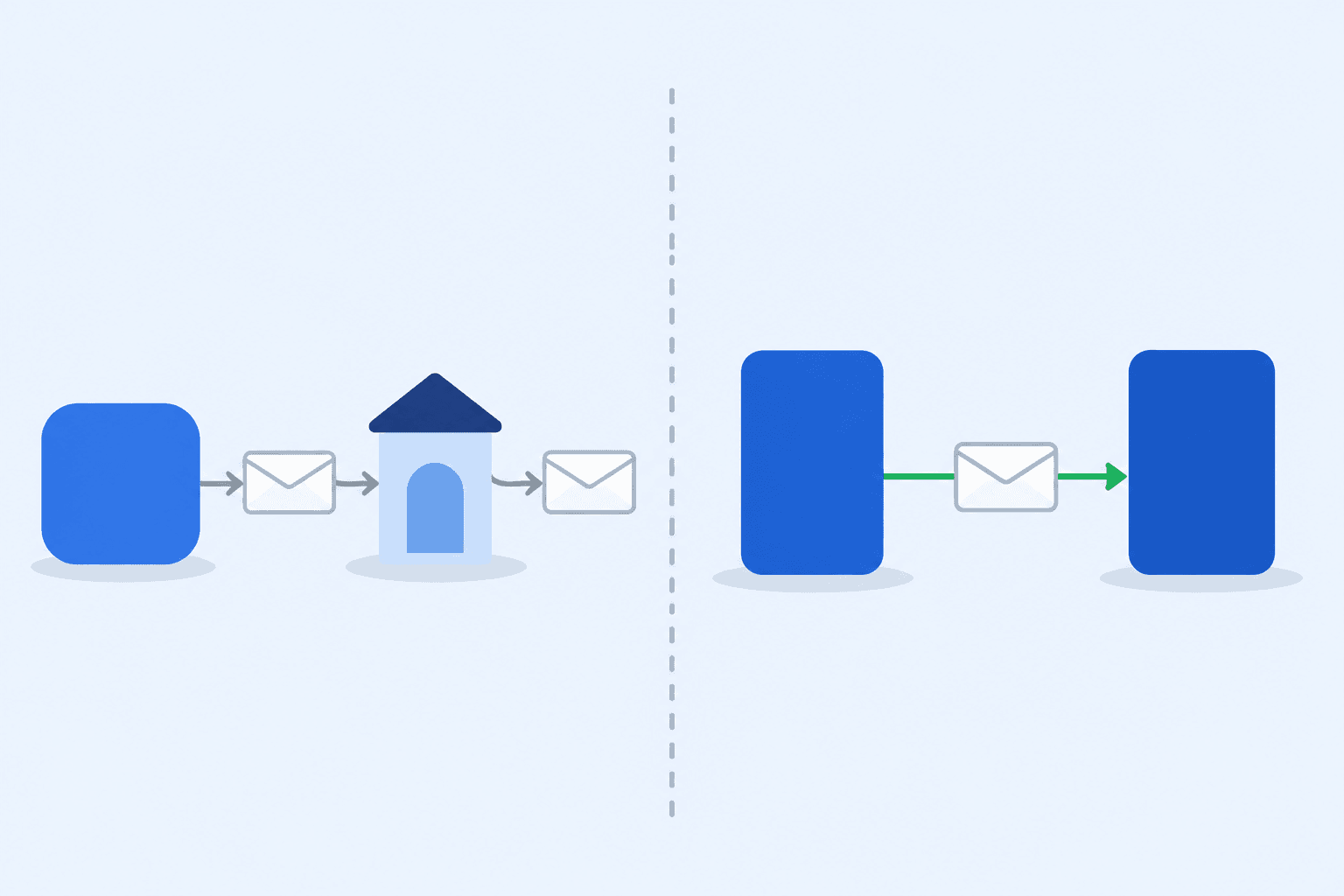
RFC 6409 splits these roles. It reserves port 587 for message submission and leaves relay on port 25. A site may still accept submission on 25, but that's a local choice, not the standard. If you're configuring an app, a WordPress plugin or an ESP connection, you're doing submission, so the answer is almost always 587 or 465.
Which SMTP port should I use?
Use the SMTP port number your provider documents, in this order of preference:
- 587 if it's listed. It's the standard submission port.
- 465 if the provider requires implicit TLS or doesn't offer 587.
- 2525 only if the provider lists it as an alternative and 587 is blocked where you are.
Port 25 isn't on this list for apps. The sections below explain each port.
Port 587 (submission)
Port 587 is the registered submission port (IANA, RFC 6409). Two rules from RFC 6409 explain how it behaves:
- Authentication is required by default. A submission server must support SMTP AUTH and, by default, rejects mail from sessions that haven't logged in, with reply code
530. - Encryption is upgraded in the session. Your client connects in plain text, sends
STARTTLS, and the connection switches to TLS before you log in.
In your app, that usually means: port 587, encryption set to "STARTTLS" or "TLS", and your SMTP username and password (or OAuth, where the provider supports it).
Port 465 (implicit TLS)
You'll still see port 465 called "deprecated" or "legacy" in older guides and some vendor docs. That's out of date as a blanket statement. RFC 8314 (2018) registered 465 as submissions, "Message Submission over TLS protocol", and recommends that clients and servers support both STARTTLS on 587 and implicit TLS on 465.
On 465, TLS starts as soon as the connection opens, before any SMTP command. Some providers require it. Others don't support it: Microsoft 365 client submission doesn't, because its port 465 defaults don't support the TLS versions Microsoft requires (Microsoft, checked November 2026). So 465 is a valid choice, but only where your provider offers it.
Port 25 and why it is blocked
Port 25 is registered as smtp, "Simple Mail Transfer", in the IANA registry, and it's the default SMTP port for relay between mail servers. When your provider's server hands a message to the recipient's server, it uses 25.
Many networks restrict outbound traffic on port 25. As of November 2026:
- Google Cloud Compute Engine blocks outbound connections on port 25 to external destinations, with some projects exempt. Ports 465 and 587 aren't restricted (Google Cloud).
- Azure blocks outbound port 25 for VMs on most subscription types. Enterprise and MCA-E subscriptions aren't blocked, but Azure doesn't guarantee delivery from them, and it recommends an authenticated relay on port 587 instead (Microsoft Azure).
- Home and office internet connections may block it too, depending on the provider. Check with yours if port 25 times out.
So port 25 is often blocked, but not always. If you need to send from a cloud server or a laptop, don't fight the block. Send through an authenticated submission server on 587 (or 465) and let that server relay on 25.
Port 587 vs 25
| Port 587 | Port 25 | |
|---|---|---|
| Role | Submission: app or client to provider | Relay: server to server |
| Login | Required by default (RFC 6409) | Usually none between servers |
| Encryption | STARTTLS | STARTTLS if both servers support it |
| Blocked on cloud VMs | Not restricted by Google Cloud; Azure recommends it for authenticated relay | Often (Google Cloud, most Azure subscriptions) |
| Use it for | Sending from apps, plugins, mail clients | Running a mail server |
If you're asking "SMTP port 587 vs 25" for an app, pick 587.
Port 2525
Port 2525 isn't an official mail port. The IANA registry assigns 2525 to a different service, ms-v-worlds (IANA). Some email providers, such as Mailgun and Postmark, offer it anyway as an alternative to 587 that works the same way, for networks where 587 is blocked.
Support varies by provider, so use 2525 only if your provider lists it. If they don't, a connection on 2525 will simply fail.
SSL, TLS, STARTTLS: what the port decides
When an app asks for the "SMTP SSL/TLS port", the port decides when encryption starts:
- Implicit TLS (port 465): the connection is encrypted from the start. Apps often label this "SSL" or "SSL/TLS".
- STARTTLS (port 587): the connection starts in plain text and upgrades to TLS with the
STARTTLScommand. Apps often label this "TLS" or "STARTTLS".
RFC 8314 says there's no significant security difference between the two, as long as the client requires TLS and won't fall back to plain text. The common mistake is mixing them: STARTTLS settings on 465, or "SSL" on 587. That usually ends in a handshake error or a timeout (see Troubleshooting).
Settings for Gmail and Microsoft 365
Provider settings change, especially around passwords and authentication, so check the linked page before you copy these.
Google Workspace (as of November 2026)
These come from Google's Workspace help page on sending email from a printer, scanner or app.
| Option | Server | Ports | Login |
|---|---|---|---|
| Gmail SMTP server | smtp.gmail.com |
465 (SSL) or 587 (TLS) | Your full email address and an app password |
| SMTP relay service | smtp-relay.gmail.com |
25, 465 or 587 | IP address based (configured by your admin) |
Microsoft 365 / Office 365 (as of November 2026)
These come from Microsoft's guide to setting up a device or application to send email using Microsoft 365.
| Option | Server | Port | Notes |
|---|---|---|---|
| SMTP client submission | smtp.office365.com |
587 (recommended) or 25 | TLS 1.2 or 1.3 required; port 465 isn't supported |
| Direct send or SMTP relay | Your domain's MX endpoint | 25 | For devices and apps sending to your own organization or through a connector |
For client submission, Microsoft says basic authentication is scheduled for deprecation and recommends OAuth. SMTP AUTH can also be turned off for a tenant or a mailbox, so a correct port can still fail to log in. If you're setting up Microsoft 365 mail, also check your Office 365 SPF record so receiving servers accept what you send.
IMAP and POP3 ports (receiving)
IMAP and POP3 fetch mail from a mailbox. They don't send it, so they never replace an SMTP port in your app's outgoing settings.
| Port | Protocol | Encryption |
|---|---|---|
| 143 | IMAP | Plain connection, upgraded with STARTTLS where the server supports it |
| 993 | IMAP over TLS (imaps) |
Implicit TLS |
| 110 | POP3 | Plain connection, upgraded with STARTTLS where the server supports it |
| 995 | POP3 over TLS (pop3s) |
Implicit TLS |
The IMAP port number 143 and POP3 port 110 come from the IANA registry. RFC 8314 defines implicit TLS on 993 and 995. Use the encrypted ports if your provider offers them.
Check it works
Run these from the machine that will send the mail, since the block (if any) is on that network.
Test STARTTLS on port 587:
openssl s_client -starttls smtp -connect smtp.gmail.com:587
You should see the server's certificate chain and a TLS handshake summary. openssl handles the greeting and the STARTTLS step itself, so you won't see a 220 line here. Instead, the session stays open: type EHLO example.com and the server answers with lines starting with 250. Type QUIT to close it.
Test implicit TLS on port 465:
openssl s_client -connect smtp.gmail.com:465
You should see the certificate chain, then the server's greeting, a line that starts with 220 and includes ESMTP. Type QUIT to close it.
Test whether a port is reachable at all:
nc -vz -w 5 smtp.gmail.com 587
nc -vz -w 5 smtp-relay.gmail.com 25
-v prints the result, -z only checks the connection, and -w 5 gives up after 5 seconds. If the port is open, nc reports that the connection succeeded. If the command waits until the timeout and then fails, something between you and the server is blocking that port. Replace the host names with your own provider's server.
Troubleshooting
Connection times out on port 25. Your network or cloud provider is probably blocking outbound 25. Switch to your provider's submission server on 587 (or 465), with a login. On Google Cloud and most Azure subscriptions, this is the expected fix rather than a workaround.
530 authentication required on port 587. Submission servers reject mail from sessions that haven't logged in (RFC 6409). Turn on SMTP authentication in your app and check the username and password. For Google Workspace, use an app password. For Microsoft 365, check that SMTP AUTH is enabled for the mailbox and the tenant.
Handshake errors or a connection that hangs right after connecting. The encryption setting doesn't match the port. Use STARTTLS (often labeled "TLS") on 587, and implicit TLS (often labeled "SSL") on 465. On Microsoft 365, don't use 465 at all.
Microsoft 365 returns 5.7.60 "Client doesn't have permissions to send as this sender". The From address in your app doesn't match what the signed-in mailbox is allowed to send as. Make the From address match the account you log in with, or ask your admin to give that account permission to send as the address you use.
Port right, mail still bounces
The right port fixes connection and login errors. Once your provider accepts the message, a bounce usually comes from the recipient side: the address doesn't exist, or the receiving server doesn't trust your domain.
- To read the codes in a bounce, see our SMTP bounce codes guide.
- If the bounce arrives as a notice in your inbox, see what Mail Delivery Subsystem emails mean.
- If mail is delayed with a temporary error rather than rejected, it may be greylisting.
- If valid addresses get blocked, check your SPF, DKIM and DMARC setup with the free domain health check.
Next step
Connection settings get your mail out of the door. Bounces from invalid addresses need a clean list.
Check your list with the free email verifier before your next send. New accounts get 200 free validations, and credits never expire.
More on deliverability
- 5 Ways to Damage Your Domain ReputationA damaged domain reputation is hard to fix. You want to avoid this at all costs. What do you need to do to damage your sender reputation?
- Gmail Blocklist: Why Gmail Blocks a Domain and How to RecoverGmail has no public blocklist, but it can reject, throttle or spam-folder your mail. Read the error codes, check Postmaster Tools and recover.
- 8 Actionable Steps to Improve Email DeliverabilityEight steps to improve email deliverability: authentication, list hygiene, opt-in, unsubscribes, warm-up, plus Gmail, Yahoo and Outlook rules.
- Mail Delivery Subsystem Emails: What They Mean and What to DoA Mail Delivery Subsystem email is a bounce notice. Learn how to read it, spot a fake, and stop bounces from your own campaigns.
Join 1,000+ CompaniesImproving Email Deliverability
Start with 200 free validations. Upgrade only when you're ready.
No credit card required • Cancel anytime